

Automated hotel booking confirmations
Every Empress One booking is followed by a clear email confirmation, so guests know their stay is secured. Optional SMS confirmation is available for supported deployments.
A confirmation for every booking
The confirmation is the first message a guest receives from your hotel after booking. Empress One sends it as soon as the booking is made, so the guest has their stay secured in writing without anyone on your team typing it out.
Empress Rooms has no front desk, so a clear confirmation matters. It is the start of a guest journey that runs through to self check-in.
- Email confirmation for each booking
- Optional SMS for supported deployments
- Confirmation sent as soon as the booking is made
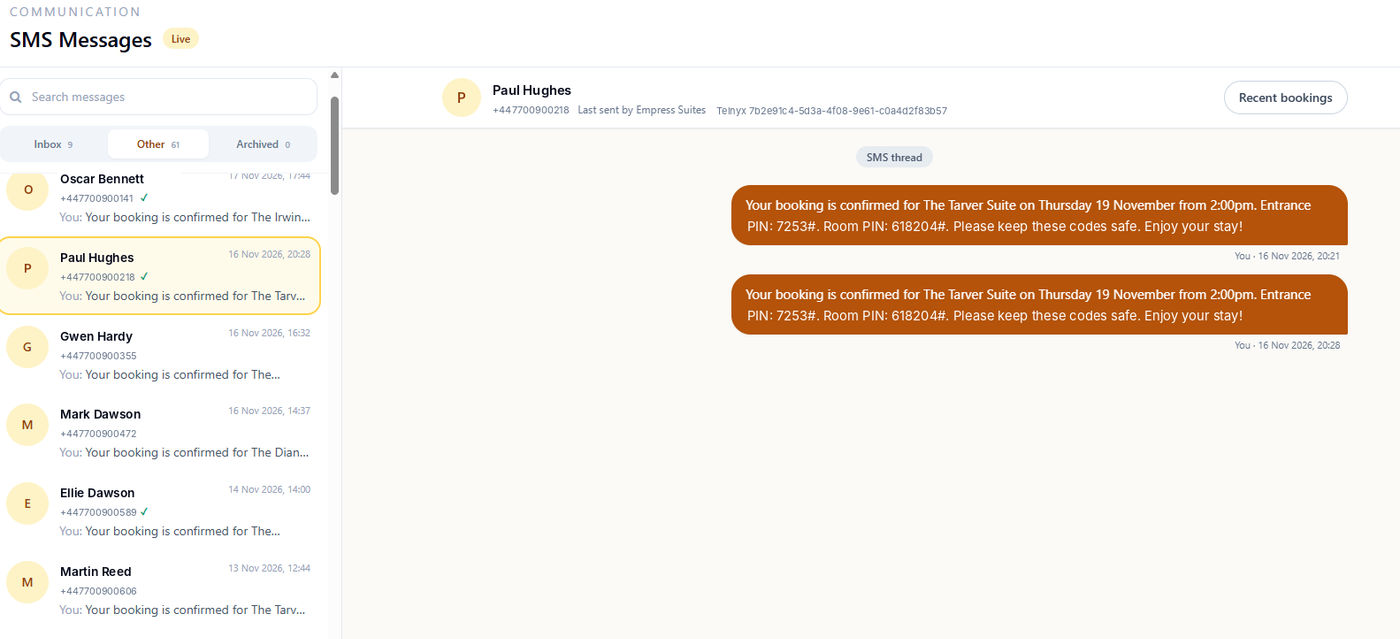
Guest messaging | Sample names
From booking to inbox in moments
A booking is made
Your team, or Chloe the AI concierge taking a call, creates the booking in the Empress One calendar.
The confirmation is sent
An email confirmation goes to the guest straight away. SMS confirmation can be added for supported deployments.
The stay carries on
The booking moves into arrival tracking, and for supported deployments a guest can be set up to enter with a smart-lock key code.
A confirmation that also gets them in
The confirmation email thanks the guest for their booking and confirms the room, the check-in time and the check-out time. It carries a link to the guest portal, so the guest can manage their stay from one place.
Below the booking details, the email explains how to check in. It gives the entrance keycode and the guest's personal self check-in keycode, with clear instructions for the main entrance and the private room. A button invites the guest to leave a review after their stay.
- Room, check-in and check-out details
- A link to the guest portal
- Access codes and step-by-step check-in instructions
- Guest support contact details
- A prompt to leave a review
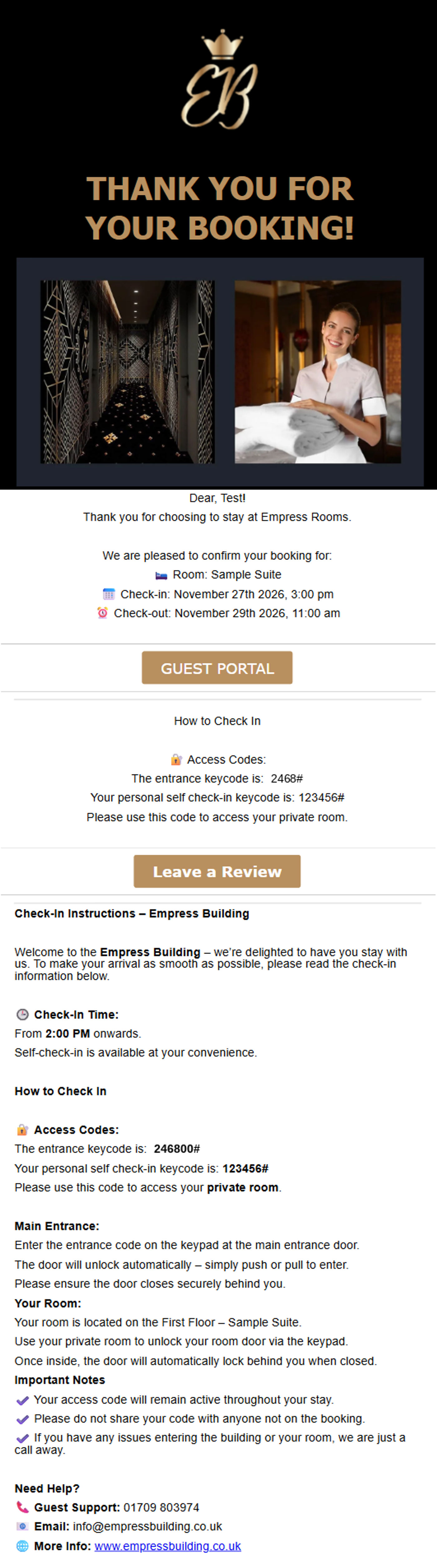
Booking confirmation email | Sample data
Confirmations that connect to the whole stay
Because the confirmation comes from the same system that holds the booking, the payment and the arrival, the information a guest receives matches what your team sees.
- One booking record behind every message
- Fewer manual emails for your team to send
- A consistent first impression for every guest
Frequently asked questions about booking confirmations
What is an automated hotel booking confirmation?
Does Empress One send SMS confirmations?
When is the confirmation sent?
Does Chloe send confirmations for bookings she takes?
Take the brochure with you
Read how Empress One brings the booking, the guest and the stay into one platform, and how it runs a real hotel every day.
See confirmations in action
Book a personal walkthrough and follow a booking from the calendar to the guest's inbox.
Request your walkthrough