
Hotel booking calendar software
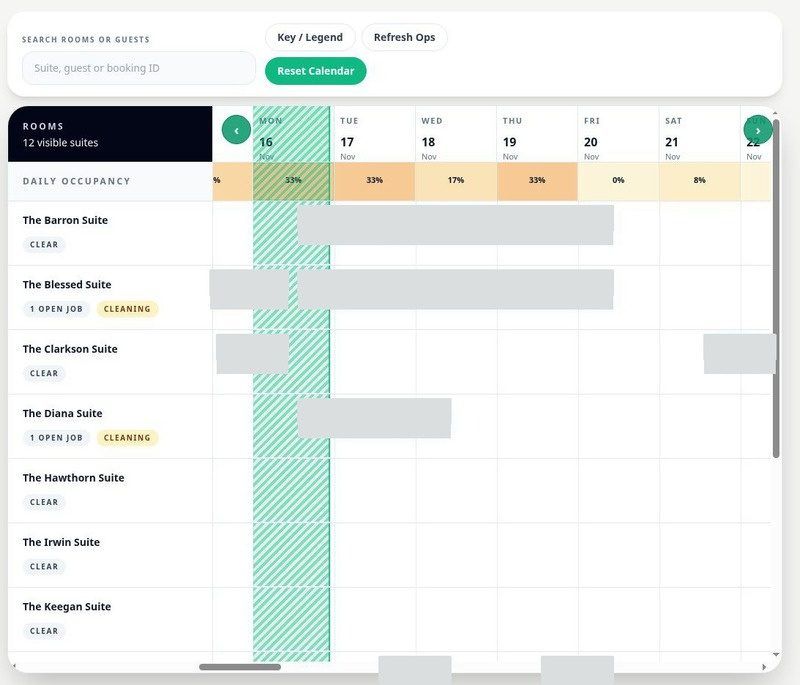
Empress One gives your hotel a live booking calendar that shows every room and every stay at once, with daily occupancy in the same view.
Every room and every stay in one view
The booking calendar is the working centre of a hotel management system. In Empress One it shows each room across the days ahead, with the stays that fill it and the rooms still free, so your team can read the state of the hotel without opening a second screen.
The calendar runs the twelve suites at Empress Rooms every day. It was built there, by the people using it.
- A calendar of every room and every stay
- Daily occupancy in the same view
- Guest details protected in the live view
Search, select and book from one screen
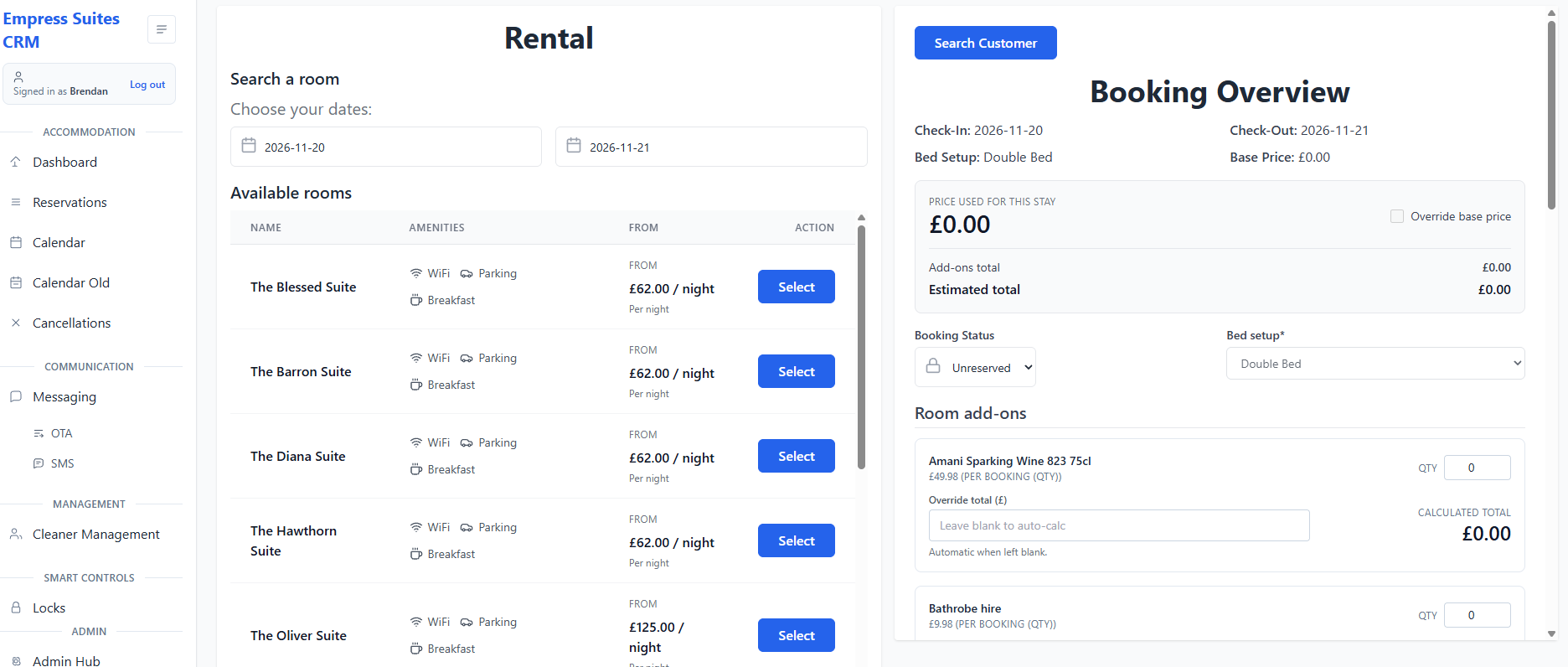
Choose your dates and Empress One lists the available rooms with their amenities and nightly rate. Select a room and the booking overview opens beside it, where your team sets the booking status and bed setup and adds extras such as wine or bathrobe hire.
- Available rooms for any dates, with amenities and price
- Booking overview with a live estimated total
- Room add-ons with optional price overrides
Every reservation, searchable
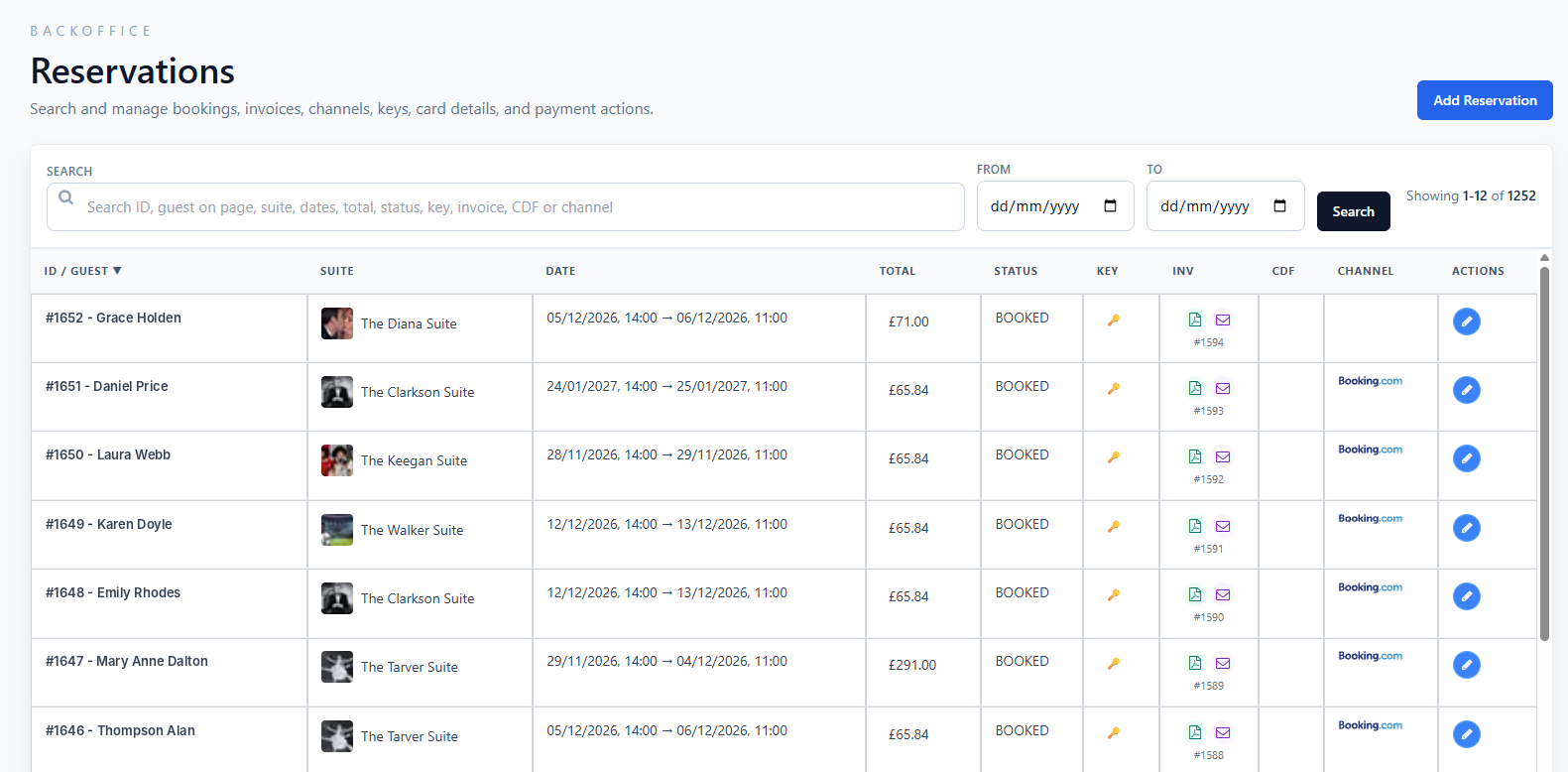
The reservations list is the back office view of every booking. Search by guest, suite, dates, total, status, key, invoice or channel, narrow it by date range, and manage bookings, invoices, keys, card details and payment actions from the same screen.
Each row shows the suite, the stay dates, the total, the booking status, the smart-lock key, the invoice and the channel the booking came through, so your team can answer a question about any booking without leaving the list.
Reservations | Sample names
Built for the daily run of a hotel
Read the day
Arrivals, current stays and free rooms sit together, so the team knows what is arriving, what is staying and what is available.
Follow occupancy
Daily occupancy appears beside the bookings that create it, which keeps planning and pricing conversations grounded in the same figures.
Take bookings from any channel
Bookings made by your team or by Chloe, the Empress One AI concierge, land in the same calendar, depending on how your deployment is configured.
The calendar is the front door to every other module
A booking in Empress One does not sit on its own. It drives the confirmation a guest receives, the arrival your team follows, the housekeeping task for the room and the payment attached to the stay.
- Confirmation emails follow each booking
- Check-in progress is tracked from the same booking
- Housekeeping tasks are created from the booking calendar
- Payment status connects to the reservation
Frequently asked questions about the booking calendar
What is hotel booking calendar software?
What does the Empress One booking calendar show?
Do bookings taken by Chloe appear in the calendar?
Is the booking calendar used in a real hotel?
Take the brochure with you
Read how Empress One brings the booking, the guest and the stay into one platform, and how it runs a real hotel every day.

See the booking calendar live
Book a personal walkthrough and see the calendar running a real hotel.
Request your walkthrough